Device Overview
Guide being updated
We’re continuing to update this guide. Some screenshots, features, and instructions may reflect an earlier product version and differ from the current interface. For help, contact support@pulsarfuture.com.
This page introduces the device hardware controls. Use the diagram below to identify the control buttons before Wi-Fi setup or daily use.
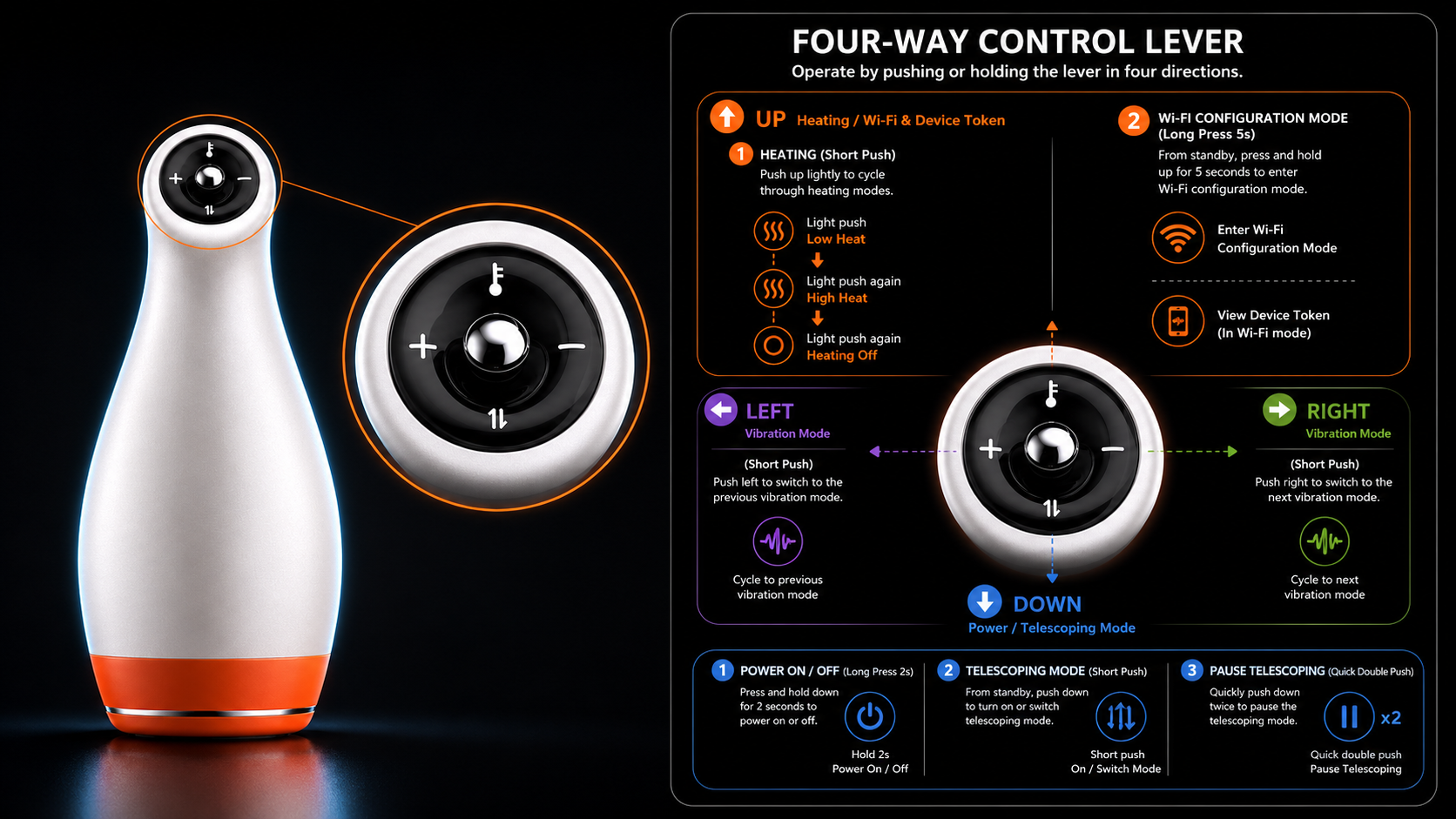
Hardware Controls
Use the hardware buttons when you need to power the device, adjust operation, or enter Wi-Fi configuration mode.
For Wi-Fi setup, press and hold the Up button for 5 seconds until the light flashes quickly. Then continue to Device Wi-Fi Setup and Token.